

See it in action
Here is one real demonstration — a bimanual toast-plating task — re-rendered by Augment from a single instruction. Every camera of the episode is transformed together, and the robot’s motion and joint trajectories are preserved unchanged. Only the scene changes.Prompt”Replace the white tabletop with warm walnut wood, keep the same lighting and objects.”
- Left
- Right
- Left wrist
- Right wrist
Original
Augmented
Original teleoperation capture versus the Augment render — same frame, same motion, new environment. One prompt produced all four camera views, each with matching joint trajectories ready to train on.
Relighting or video augmentation
Kite augments a dataset in one of two ways: relighting or video augmentation. By default ("model": "auto") a planner looks at your instructions, one frame from each camera, and any reference photos you send, then picks for you. The run reports its choice and the reason in plan.
Choose one yourself with
"model": "relight" or "model": "video". Use POST /v1/augmentations/estimate to price either before you start.
Create a run
One call starts a run. Give it the source dataset, your instructions, the episode count, and where the results should go.Request body
string
required
The Hugging Face LeRobot dataset to augment, e.g.
lerobot/pusht.string
required
Plain-language description of the visual change to apply to every episode.
string
default:"auto"
auto lets the planner choose; relight or video picks one yourself. See Relighting or video augmentation.integer
default:"3"
Video augmentation only: how many episodes to generate, from the start of the dataset. Must be between
1 and 50. Relighting always covers every episode.object[]
Up to 6 photos of the look you want, usually frames from the deployment cameras. Each has
data (base64, a data: URL prefix is fine), media_type (image/jpeg, image/png or image/webp) and an optional camera (top or observation.images.top); leave camera out to use the photo for every camera. At most 5 MB each and 20 MB in total. Works with auto and relight.object
Relight parameters you’ve tuned yourself, keyed by camera or
"*" for every camera. With model left out or set to auto, this selects relighting and skips the planner. See Relight parameters.string
default:"download"
Where results are delivered.
download keeps them on Kite for you to fetch; huggingface pushes the finished dataset to your account.string
Required when
output.type is huggingface — the destination repo, e.g. your-org/pusht-marble.id, immediately:
Response — 202 Accepted
400 parameter_invalid— a malformed field, named inparam(for exampleconfig.relightwith"model": "video")400 invalid_reference_image— a reference image that isn’t valid base64, isn’t an image, or is over 5 MB (20 MB for all images together)400 episode_limit_exceeded—episode_countabove 50 forautoorvideo400 huggingface_not_connected— forhuggingfaceoutput, when you haven’t linked a Hugging Face token in the dashboard
failed with error.code insufficient_tokens. Top up and create it again.
See Authentication → Errors for the envelope.
Idempotency
Pass a uniqueIdempotency-Key header to make retries safe. A repeated request with the same key returns the original run instead of starting a duplicate — so a dropped connection or a CI retry never double-charges you.
Reusing a key with a different payload returns
409 Conflict — the key is bound to the first request body it saw.Match your deployment lighting
Send a photo from each deployment camera and let the planner tune a relight for every camera. It previews its settings against your photos before it commits, and it adjusts each camera on its own, because wrist cameras close to a lamp usually look warmer than the overview camera.Prompt”The robot now runs at night under warm ceiling lamps. Match the reference photos.”
- Top
- Left wrist
Original
Relit
Target photo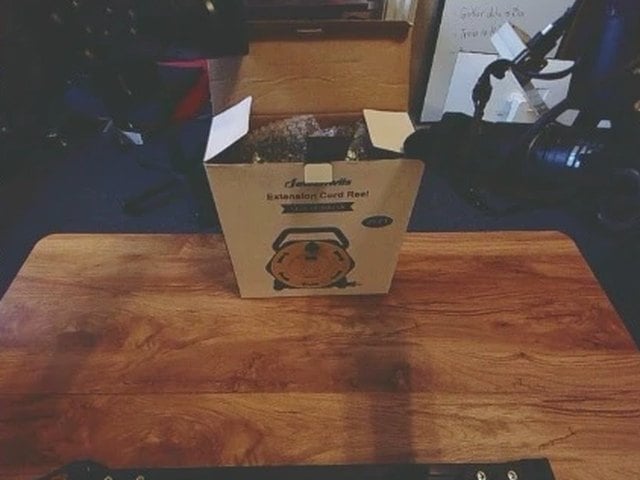
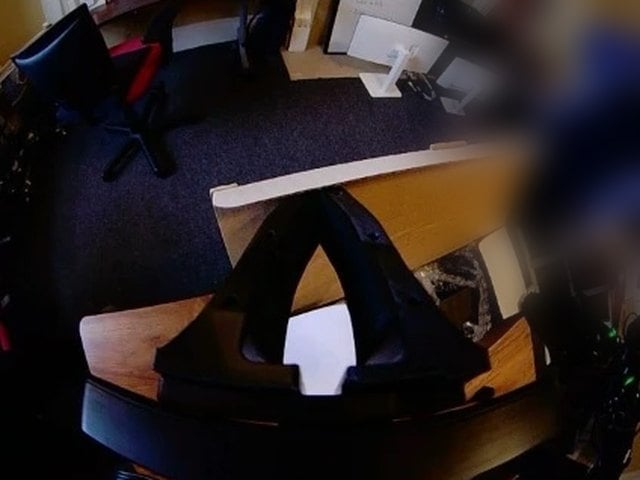
Episode 0 of kiteml/dual-openyam-close-box, recorded in daylight and relit through the API with one photo from each camera on site (two of its three cameras shown). The planner chose relighting and tuned every camera to its photo. The robot’s motion and every recorded action stay exactly as they were; only the light changes.
Photos are too large to paste into a command line, so build the request body in a file first (this uses jq):kite_augment_create, passing reference_images as { "camera": "top", "path": "live_top.jpg" } with the local MCP server, or with base64 data with the hosted one.
A few seconds after create, the run shows what the planner decided:
plan.source_revision is the commit of your dataset the run reads from start to finish, so recording more episodes into the same repository mid-run doesn’t change what gets relit. The result is a relit copy of the whole dataset at that commit: same episodes, same length, same actions and timestamps. Only the videos, the camera image statistics and a note on the dataset card change. Train on it together with the original so the policy handles both day and night.
When the planner picks video augmentation instead (say, your photo shows a different table),
plan.video_instruction holds the concrete edit it derived from your photo, and the run continues as a video run.Relight parameters
Tune a relight yourself, or with your own agent, and skip the planner by sendingconfig.relight. With "*", every camera is relit and a camera’s own entry overrides it field by field; without "*", cameras you don’t name are copied unchanged (and not billed).
Estimate the cost
Both bill per second of video per camera. Relighting bills the full length of every episode on the cameras it changes; video augmentation bills up to 30 s of each episode on every camera. Price a run first with the matchingmodel:
Track progress
Episodes are generated and saved incrementally. Poll the run to watch it move through its lifecycle, with a liveprogress value and a human-readable status_message.
status field moves through:
Get your dataset
Whenstatus is succeeded, a download run exposes its files under output.files. Fetch each one, preserving its path, to reconstruct a standard LeRobot Parquet dataset on disk.
Response — output.files
kite augment download CLI command does this for you — see the CLI docs. If you chose huggingface output instead, output.url links the dataset pushed to your account.
Each
url is either a short-lived signed storage URL or an authenticated /v1/augmentations/:id/files/:path proxy path. Send your Authorization header when fetching and handle both — the proxy path needs the key; the signed URL ignores it.The result is a standard LeRobot v3.0 dataset: Parquet tables for states and actions plus MP4 camera video. It’s the same format Kite training accepts, so you can train on it with no conversion. No proprietary output format, no lock-in.
Cancel a run
Stop a processing run at any time. You’re only billed for episodes generated before cancellation.The augmentation object
output.files appears only when you retrieve a single succeeded augmentation with GET /v1/augmentations/:id. List, create, and cancel responses and webhook events leave it out — retrieve the run to get the files.